
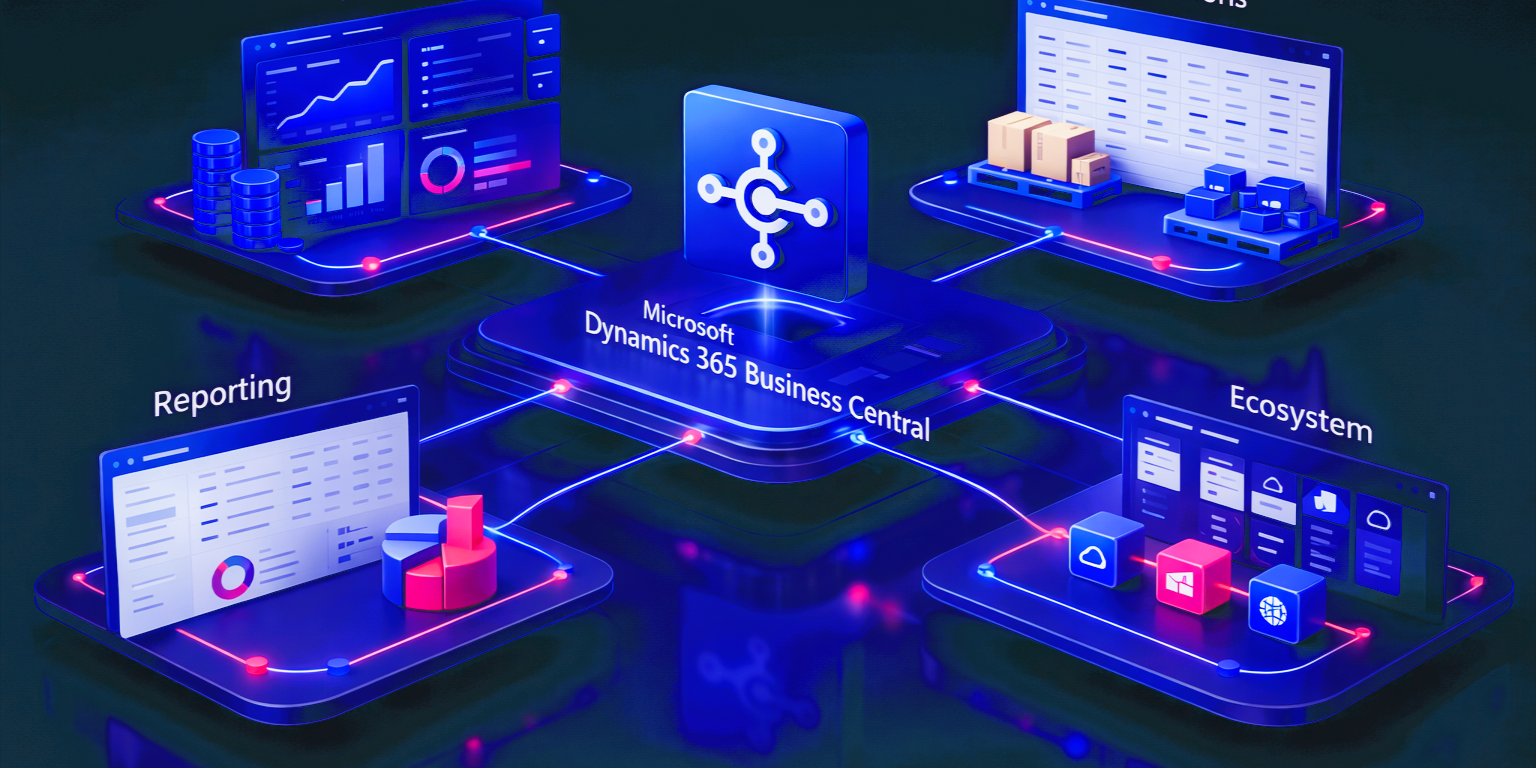
Microsoft Dynamics 365 Business Central is often described as an ERP platform for small and mid-sized businesses, but that description only covers part of its role. In practice, Business Central sits at the center of finance, operations, reporting, collaboration, integrations, infrastructure, and long-term platform planning. Microsoft positions Business Central as a business management solution that brings together finance, sales, service, and operations in one system, while its broader documentation shows how it connects with Microsoft 365, Power Platform, Power BI, Teams, Fabric, and release-wave innovation over time.
This guide brings those areas together in one place. It is designed as a master overview for business leaders, finance stakeholders, operations teams, IT decision-makers, and project teams that want a clearer understanding of what Business Central covers, where it fits, and why it matters.
Who This Guide Is For
This guide is written for:
- CEOs and business owners evaluating ERP modernization
- CFOs and finance leaders looking for stronger financial control and reporting visibility
- Operations leaders responsible for supply, service, and process efficiency
- IT leaders planning cloud, integration, security, and platform strategy
- ERP project teams shaping implementation, upgrade, or optimization decisions
Key Takeaways
- Business Central covers far more than accounting and back-office transactions.
- Its value comes from combining finance, operations, reporting, and ecosystem integration in one platform.
- Core ERP functionality is only one part of the story. Extensions, infrastructure, analytics, licensing, and upgrades also matter.
- The strongest Business Central strategy looks at the platform as a connected business environment, not a collection of isolated modules.
What Business Central Covers at Its Core
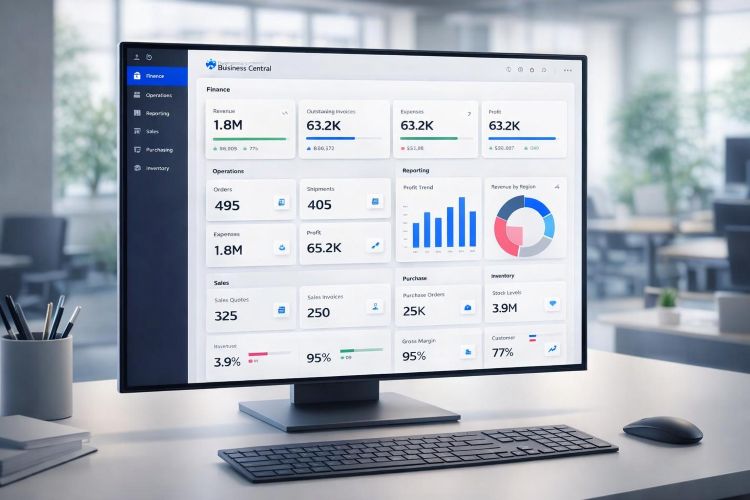
At its core, Business Central is designed to run the daily engine of the business. Microsoft documents the platform across finance, sales, purchasing, inventory, projects, service management, manufacturing, warehouse activity, and reporting. That matters because businesses do not operate in isolated functional silos. Financial outcomes depend on operational execution, and operational execution depends on how well processes, data, and decisions stay connected.
Financial Management
Financial management is one of the strongest reasons organizations evaluate Business Central. The platform includes a general ledger, chart of accounts, dimensions, receivables, payables, bank-related processes, VAT handling, financial reporting, and multi-company finance capabilities. For CFOs and finance managers, this means Business Central can act as a structured finance layer that supports control, visibility, and consistency rather than just transaction posting.
Why it matters
- Improves financial visibility and reporting consistency
- Supports receivables, payables, reconciliation, and cash flow oversight
- Creates a better foundation for growth, audit readiness, and management reporting
Sales, Purchasing, and Inventory
Business Central also supports customer and vendor transactions, item management, purchasing workflows, invoicing, and inventory operations. These areas are closely tied together. A business does not experience purchasing, sales, and stock as separate software categories. It experiences them as one connected operating chain that affects delivery, cost, cash, and customer service.
What this supports
- Better control over demand, supply, and fulfillment
- Improved visibility into items, stock movement, and replenishment
- More connected operational execution across teams
Projects, Fixed Assets, Manufacturing, Service, and Warehouse Operations
As complexity increases, Business Central extends into fixed assets, job and project costing, manufacturing, service management, and warehouse processes. This is important for businesses that need ERP to support more than simple finance and invoicing. It allows Business Central to become part of how the business actually operates, not just how it records results afterward.
Operational value
- Supports project-based and service-based work
- Helps manufacturers and warehouse-driven businesses manage operational flow
- Gives leadership better visibility into cost, movement, and performance

How Business Central Extends Beyond Standard ERP
Business Central becomes more valuable when businesses stop treating standard ERP functionality as the limit. Microsoft documents extension and integration pathways that allow organizations to adapt Business Central to their business model, commerce channels, and operational workflows.
Shopify Integration
Microsoft provides a Shopify connector for Business Central that supports synchronization of orders, inventory, and customer information. This is relevant for businesses that need e-commerce activity to stay aligned with operational and financial processes.
Business impact
- Helps connect online sales with ERP operations
- Improves consistency across orders, stock, and customer data
- Reduces disconnect between commerce and finance processes
Tailored Business Scenarios and Custom Extensions
Not every organization fits a standard operating model. Business Central can be extended for industry-specific workflows, guided user experiences, approvals, custom apps, and process automation. The right design choice depends on what should stay in standard configuration, what belongs in Power Platform, and what justifies deeper extension work.
Where this helps most
- Industry-specific requirements
- Unique approval workflows and business rules
- Role-based apps and guided task experiences
Deployment, Hosting, and Infrastructure Considerations
Business Central is strongly associated with cloud ERP, but hosting and infrastructure still shape the outcome. SaaS, Azure-aligned strategy, on-premises requirements, integration design, security posture, support model, and performance considerations all affect how Business Central works in the real world.
SaaS, Azure, and On-Premises Choices
For many organizations, the default path is SaaS. That aligns with Microsoft’s modern release cadence and reduces infrastructure overhead. At the same time, some businesses still need to think carefully about Azure architecture, legacy dependencies, regional requirements, or on-premises realities.
What leaders should evaluate
- Cloud readiness and operational ownership
- Security, compliance, and support expectations
- Integration architecture and data access requirements
- Scalability and long-term operating model
For businesses evaluating cloud direction around ERP, related INFOC capabilities include Microsoft Azure, cloud migration consulting, IT infrastructure consulting, and managed IT services.
Performance and Operational Discipline
ERP performance is not only about infrastructure size. It is also influenced by extensions, reporting behavior, integration design, data growth, and operational governance. That is why infrastructure planning should be treated as part of ERP strategy, not a separate technical afterthought.

Business Central in the Microsoft Ecosystem
One of Business Central’s biggest strengths is that it does not need to operate alone. Microsoft documents integrations with Microsoft 365 and Power Platform, showing how Business Central can work with Power BI, Power Apps, Power Automate, Teams, Outlook, Excel, and other productivity and collaboration layers.
Power BI and Reporting Visibility
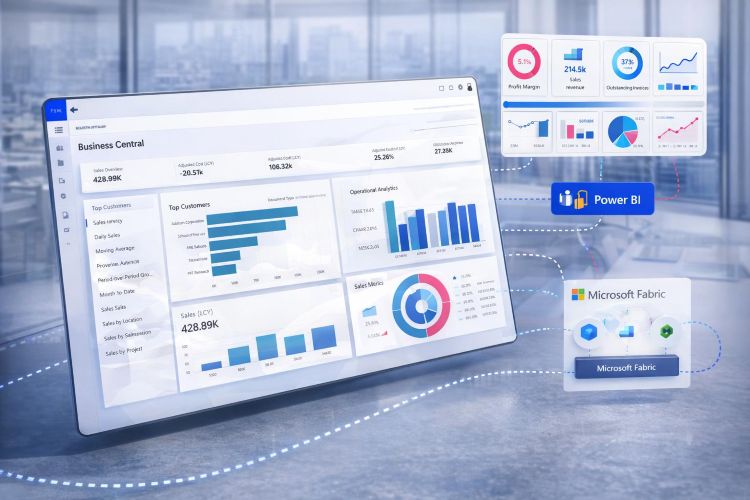
Business Central integrates with Power BI for reporting and embedded analytics scenarios. This matters because strong ERP reporting is not only about having data. It is about putting trusted information in front of decision-makers in a useful way.
Why this matters
- Improves executive visibility into finance and operations
- Helps move from raw data to decision-ready reporting
- Supports more mature KPI, management, and analytical views
Relevant INFOC pages here include Microsoft Power BI, Microsoft Power BI solutions, and data analytics consulting.
Power Apps and Power Automate
Power Apps and Power Automate extend Business Central beyond standard screens and workflows. They allow businesses to create tailored applications, automate routine actions, and link business process tasks across systems and users.
Where they add value
- Low-code apps for specific user groups or scenarios
- Workflow automation and approvals
- Process consistency across connected systems
Microsoft 365 and Teams
Business Central also fits into the daily productivity layer through Microsoft 365 and Teams. That matters because many users need ERP context without living inside ERP all day. They need access to data, approvals, reports, and collaboration in the tools they already use.
Related INFOC pages include Microsoft 365 and enterprise integration.
Data, Analytics, and AI Around Business Central
As businesses mature, operational reporting is no longer enough. They start asking broader questions about data strategy, analytical models, executive dashboards, and how ERP data should connect with the wider enterprise analytics environment.
Microsoft Fabric, Data Warehousing, and Data Marts
Microsoft Fabric introduces a broader analytical architecture for organizations that want to move from transactional reporting to more scalable and structured analytics. In this model, Business Central remains the operational system, while Fabric can help support data engineering, data warehousing, and data marts for deeper analysis.
Strategic value
- Supports more scalable analytical architecture
- Helps combine Business Central with other business data sources
- Creates a stronger foundation for executive and enterprise reporting
Relevant INFOC pages include Microsoft Fabric and data analytics consulting.
Power BI Dashboards and Analytical Trust
Dashboards only work when the underlying data model is strong. That is why clean ERP setup, sensible dimensions, good integration design, and a clear analytics layer matter. Analytical trust is not a reporting feature. It is the result of good architecture.
Copilot and AI-Led Productivity
AI is becoming part of the Business Central landscape through Copilot and related Microsoft platform innovation. The practical question is not whether AI exists in the stack, but where it actually helps people work faster, understand data more clearly, and improve decisions without adding noise.
Licensing, Upgrades, and Long-Term Planning
Licensing and upgrade planning are often treated as separate issues, but they directly affect solution design, user adoption, budgeting, and platform continuity. Microsoft offers different Business Central licensing models, including Essentials, Premium, Team Members, and related access scenarios. That means access design should be treated as part of business planning, not just procurement.
Why Licensing Matters
Licensing influences who can use the platform, how they use it, and what the business pays to support that model. It affects rollout strategy, user experience, and long-term scalability.
Decision areas
- Which users need full ERP access
- Which users need limited workflow or reporting access
- How to align licensing with process design and cost control
For businesses evaluating commercial and access planning, INFOC also provides hardware and software licensing support.
Upgrades and Roadmap Awareness
Business Central evolves through Microsoft release waves, which means roadmap awareness is part of responsible ERP ownership. Upgrades are not only technical maintenance. They are also chances to adopt new capabilities, improve existing processes, and reduce workaround-heavy designs.
How the Series Will Go Deeper from Here
This article is the foundation for the full Business Central content journey. From here, each area will be explored in dedicated articles with more practical depth. The next set of blogs will go deeper into finance, sales, purchasing, inventory, fixed assets, projects, manufacturing, service, warehouse processes, reporting, extensions, hosting models, Microsoft ecosystem integrations, analytics strategy, licensing, and upgrade planning.
What comes next
- Deeper breakdown of Business Central core capabilities
- Practical coverage of extension and integration scenarios
- Infrastructure and hosting guidance
- Analytics, Fabric, and reporting architecture topics
- Licensing and upgrade planning detail
Conclusion
Business Central is best understood as a connected business platform rather than a narrow ERP application. At its core, it supports finance, sales, purchasing, inventory, projects, service, manufacturing, warehouse operations, and reporting. Around that core, it extends into commerce, Power Platform, Microsoft 365, Teams, analytics, Fabric, licensing decisions, and continuous roadmap evolution.
For growing businesses, that broader view matters. The real value of Business Central is not just that it can process transactions. It is that it can help align finance, operations, insight, infrastructure, and future planning in one more coherent model.
How INFOC Can Help
INFOC helps businesses approach Business Central as more than a software deployment. That includes Dynamics 365 Business Central implementation support, ERP and CRM consulting, technology consulting, enterprise integration, data analytics consulting, Power BI solutions, Microsoft Fabric services, cloud and migration planning, and licensing guidance aligned to the wider Microsoft ecosystem.
Topics Covered in This Series
- Financial Management Features in Business Central
- Sales and Customer Relationship Management in Business Central
- Purchasing and Payables in Business Central
- Inventory Management Essentials in Business Central
- Fixed Assets Management in Business Central
- Project and Job Costing with Business Central
- Manufacturing Capabilities in Business Central
- Service Management in Business Central
- Warehouse Management Features in Business Central
- Reporting and Analytics Basics in Business Central
- Integrating Shopify with Business Central: Streamlining E-Commerce Operations
- Extending Business Central: Tailoring to Unique Business Scenarios
- Custom Extensions in Business Central: Building Beyond the Standard ERP
- Hosting Business Central on Azure: A Practical Guide
- On-Premises Deployment of Business Central: When and Why
- SaaS Business Central: Leveraging the Cloud Model
- Comparing Business Central Hosting Options: Pros and Cons
- Ensuring Performance: Business Central Infrastructure Best Practices
- Integrating Power BI with Business Central: A Step-by-Step Approach
- Power Apps and Business Central: Building Tailored Solutions
- Microsoft 365 with Business Central: Seamless Productivity
- Power Automate: Streamlining Business Central Workflows
- Data Warehousing with Business Central and Microsoft Fabric
- Creating a Data Mart with Business Central in Fabric
- Business Central and AI: Copilot-Driven Insights
- Best Practices for Power BI Dashboards in Business Central
- Extending Business Central with Power Apps: When and How
- Microsoft 365 and Business Central: Boosting Collaboration
- Business Central and Fabric: A Data Strategy Blueprint
- Enhancing Workflows with Power Automate in Business Central
- Business Central Meets Teams: Smarter Collaboration
- Securing Integrations: Business Central and Data Protection
- Business Central Licensing Explained: Essentials, Premium, Team Members, and Device Licensing
- Business Central Upgrade and Roadmap: How the Platform Is Evolving