Microsoft Dynamics 365 Business Central Explained
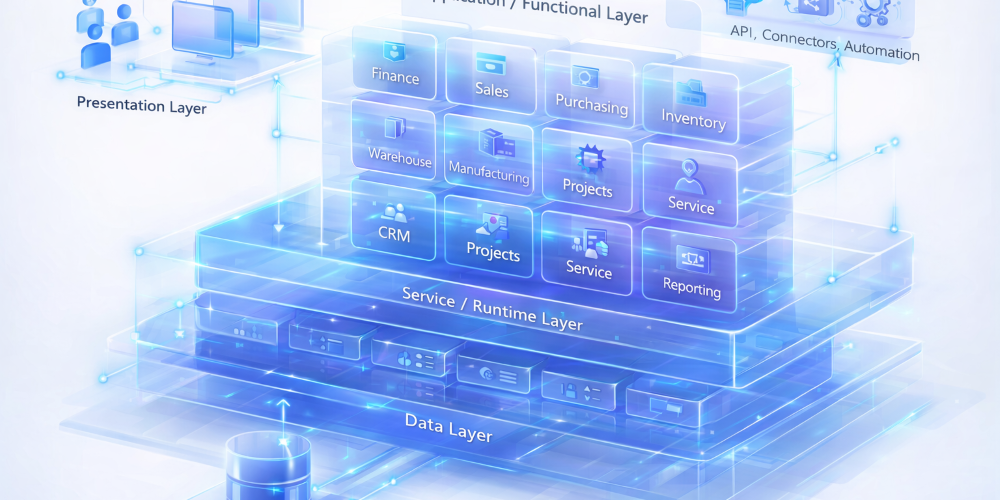
Microsoft Dynamics 365 Business Central brings finance, sales, purchasing, inventory, warehouse, manufacturing, projects, service, CRM, and reporting into one connected business platform. This guide breaks down the architecture, core modules, and why the platform matters for growing businesses.
Watch the overview video
Architecture snapshots
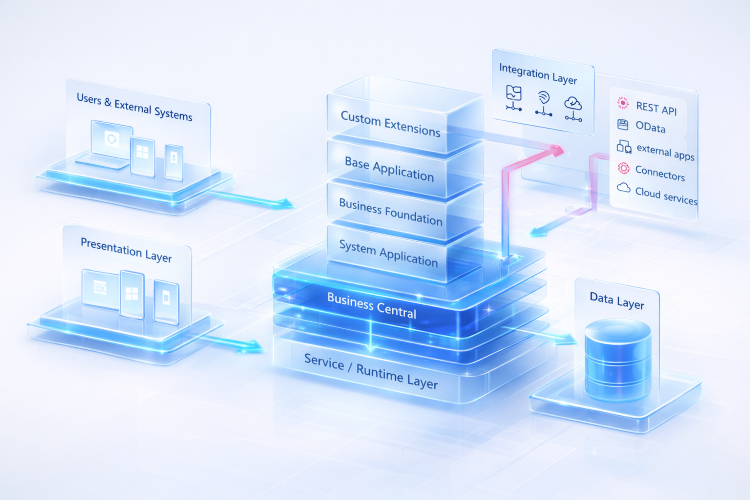
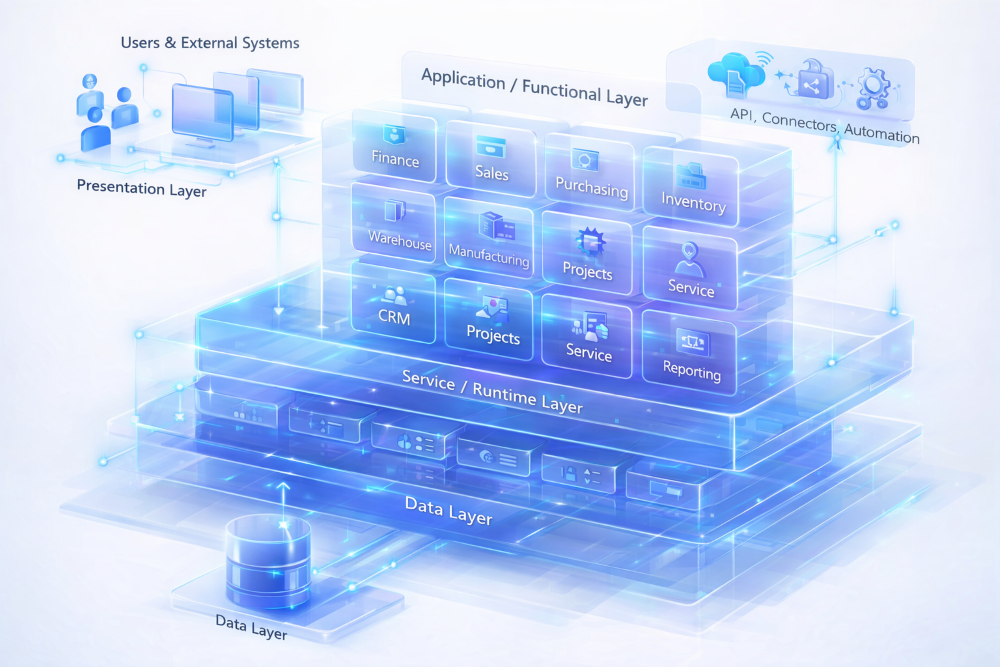
These two visuals help explain Business Central from both a layered architecture view and a functional application view.
System architecture: Users, presentation, application/functional layer, runtime, integration, and data working together as one platform.
Layer dependency view: Presentation and integration connect into Business Central, while the application stack sits above the runtime and data foundation.
Why Business Central matters
Connected processes
Sales, purchasing, inventory, finance, and reporting work from shared business data instead of disconnected tools.
Real-time visibility
Decision-makers get live operational and financial insight instead of waiting on spreadsheets and manual reconciliation.
Modular capability
Each module solves a specific business problem, but the real value comes from how the modules work together.
Scalable platform
Business Central supports growth without forcing teams to bolt together multiple systems to run the business.
Business Central modules explained
Microsoft Dynamics 365 Business Central is Microsoft’s business management platform for small and mid-sized organizations. It brings core business functions into one system so finance, operations, sales, service, and management can work from the same data.
Read more: Complete guide to Microsoft Dynamics 365 Business Central for growing businesses
Finance is the backbone of Business Central. It supports general ledger, payables, receivables, cash management, fixed assets, budgets, and financial reporting, giving organizations tighter control and better visibility.
Sales helps teams manage customers, quotes, sales orders, invoices, pricing, and returns. It supports the full order-to-cash flow while improving customer service and commercial execution.
Purchasing handles vendor management, purchase quotes, purchase orders, approvals, invoices, and receipts. It helps businesses improve procurement control and supplier coordination.
Inventory tracks items, availability, costing, replenishment, and stock movement. For product-driven businesses, this is one of the core modules that keeps daily operations stable and accurate.
Warehouse management extends inventory into execution through receiving, put-away, bin management, picking, movement, and shipment. This is where stock control becomes physical fulfillment.
Manufacturing supports bills of material, routings, planning, production orders, capacity control, and output tracking. It helps manufacturers run production with more structure and visibility.
Projects helps businesses plan budgets, assign resources, track time and expenses, manage billing, and monitor profitability. It is especially useful for project-based service and delivery models.
Service manages service items, contracts, service orders, dispatching, repairs, and service history. It helps teams run structured after-sales support and field or repair operations.
CRM in Business Central supports contacts, companies, opportunities, campaigns, and interactions. It helps sales and customer-facing teams stay aligned on relationships and follow-up.
Reporting turns operational and financial data into dashboards, KPIs, reports, and management insight. This is where leadership gets visibility across the business without waiting on manual exports.