
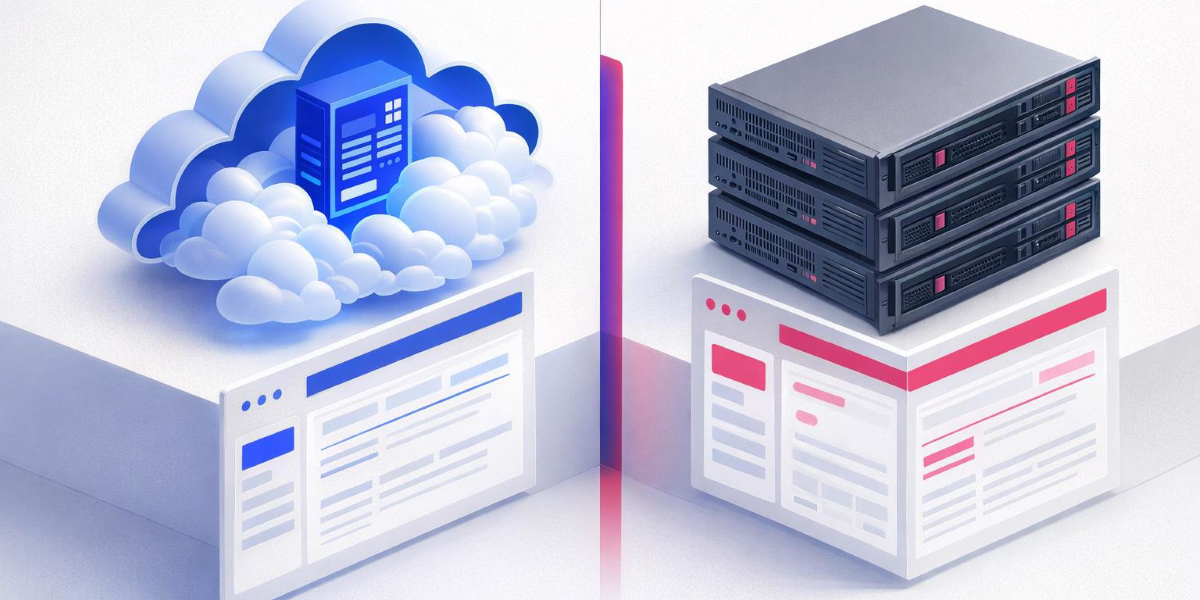
Before you sign a Business Central contract, one decision shapes everything that follows: where will it run?
Microsoft offers Business Central in two officially supported deployment models — online (SaaS) and on-premises — and on-premises itself can be hosted on your own hardware, on your own Azure VMs, or by a partner. Each path changes what you pay, what you control, what you’re responsible for, and — critically — which features you get.
This post compares the three real-world hosting paths customers choose in 2026, using Microsoft’s own documentation as the single source of truth. If you’ve read our earlier posts on hosting Business Central on Azure and on-premises deployment, this is the decision-framework piece that ties them together.
Microsoft’s official deployment taxonomy
Microsoft’s Business Central documentation recognises two deployment types:
- Business Central online — the multitenant SaaS service Microsoft runs on Azure
- Business Central on-premises — the self-managed product customers or partners install themselves
Reference: Deployment of Dynamics 365 Business Central — Microsoft Learn
In practice, on-premises splits into three ways customers actually host it:
| Hosting path | Who runs the infrastructure | Who runs Business Central |
|---|---|---|
| Online (SaaS) | Microsoft | Microsoft |
| On-premises in customer data centre | Customer IT | Customer IT |
| On-premises on Azure VMs (self- or partner-hosted) | Customer / Partner (on Azure) | Customer / Partner |
The critical point customers often miss: Business Central running on Azure VMs is still the on-premises product. It is subject to the same licensing model, the same feature gaps, and the same update process as on-premises on bare metal. Hosting location changes operational responsibility — it does not change what Microsoft considers “online.”
Option 1: Business Central online (SaaS)
What Microsoft provides
Business Central online is delivered as a multitenant cloud service built on Azure. Microsoft’s service overview describes the platform as running across 21 Microsoft Azure regions and serving customers in more than 170 countries and regions, with new countries added quarterly.
Under the hood, Microsoft runs the service on Azure SQL Database, Azure Functions, Virtual Machine Scale Sets, Azure SignalR, Key Vault, Traffic Manager, and other Azure-native services. Customers never see or manage this infrastructure.
Reference
Service overview for Business Central online — Microsoft Learn
Service level agreement
Microsoft provides a financially-backed 99.9% monthly uptime SLA for paid production environments of Business Central online. If the service falls below that level in a given month, customers may be entitled to service credits under the Microsoft Online Services SLA.
The underlying Azure SQL Database runs at 99.99% availability. Credits are applied against future subscription fees — not compensation for operational impact.
References
- Service overview for Business Central online — Microsoft Learn
- Service Level Agreements for Microsoft Online Services
Backups and business continuity
- Automatic point-in-time backups of Azure SQL Database, retained for 28 days
- Admins can restore production or sandbox environments to any point in those 28 days via the Business Central admin center
- Deleted environments can be recovered by admins within 14 days of deletion
- Geo-redundant backups protect against regional outages
- Azure availability zones provide intra-region resilience for paid production environments
Updates
Business Central online follows the Microsoft Modern Lifecycle Policy:
- Major updates twice a year (April and October release waves)
- Minor updates monthly
- Critical fixes rolled out continuously after validation in Microsoft’s staging environment
- Administrators set a maintenance window in the admin center and can schedule their update within a five-month update period
Pricing (list, from Microsoft.com)
As of the pricing displayed on Microsoft’s Business Central pricing page:
| License | US list price |
|---|---|
| Business Central Essentials | $80 user/month, paid yearly |
| Business Central Premium | $110 user/month, paid yearly |
| Business Central Team Members | $8 user/month, paid yearly |
All full-user licenses include unlimited users, multiple environments, multiple companies, and customization/extensibility at no extra cost per that page. Prices vary by region.
Reference
Dynamics 365 Business Central Pricing — Microsoft
Best for
- Customers who want predictable subscription costs and no infrastructure responsibility
- Organisations that benefit from Copilot, Teams integration, Shopify, and tight M365 integration
- SMBs that don’t have dedicated SQL/Windows Server IT capability
- Projects where speed to go-live matters
Option 2: Business Central on-premises (customer-managed)
What the customer provides
In an on-premises deployment, the customer (or partner) installs and runs everything: the Business Central Server (NST), SQL Server, the web client, and any network and authentication infrastructure.
Business Central Setup lets you install components across multiple computers, use predefined or custom installation profiles, save configuration files for repeatable deployments, and preconfigure components before install.
Reference
Deployment of Dynamics 365 Business Central — Microsoft Learn
No SLA from Microsoft
There is no financially-backed uptime SLA for on-premises deployments. Uptime, patching, failover, disaster recovery, and backup are the responsibility of the customer (or their hosting partner). Microsoft’s Online Services SLA explicitly does not apply to on-premises software that is part of any service.
Updates
Microsoft releases cumulative updates roughly monthly for supported on-premises versions. Each cumulative update contains all hotfixes and regulatory features released since the previous update. The current major version line in production is 2025 release wave 2 (BC27), with 2026 release wave 1 (BC28) now generally available.
All updates that Microsoft applies to Business Central online are also shipped with the subsequent cumulative update for Business Central on-premises — but on a delayed cadence, and the customer must plan and execute each update themselves.
References
- Released Updates for Business Central 2025 Release Wave 2 — Microsoft Support
- Installing a Business Central update — Microsoft Learn
Features that are NOT available on-premises (Microsoft’s official list)
This is the single most important comparison point, and it’s the one most buyers don’t see until after they’ve signed.
Per Microsoft’s official documentation, the following are not available in any on-premises deployment and have no plans to be added:
- Microsoft Copilot in Business Central — including marketing text suggestions, bank reconciliation assist, and all AI agents
- Business Central app for Microsoft Teams — the Teams integration does not connect to on-premises
- Share to Teams (copying page links into Teams conversations)
- Shopify connector — online tenants only
- Default Power BI reports (automatic deployment and configuration)
- Bulk Invoicing from Microsoft Bookings
- Creating workflows from Power Automate templates
- Sandbox environments — the container sandbox used for extension development cannot connect to an on-premises deployment
- In-product search extending to learn.microsoft.com content
- Late Payment Prediction
- Company Hub (managing work across multiple companies)
- Inviting an external accountant
Features that require specific extra setup on-premises
These features require specific extra setup (typically Microsoft Entra ID authentication plus Azure subscriptions):
- Excel add-in read/write and Excel financial reports (requires Entra ID)
- Built-in Power BI reports and charts (requires Entra ID)
- Built-in Power Automate management (requires Entra ID)
- Outlook add-in (requires Entra ID with Exchange Online, or Entra ID/NAVUserPassword with Exchange Server)
- Word coversheets for contact management (requires Entra ID)
- Standard REST API (cannot be reached via the common
https://api.businesscentral.dynamics.comendpoint — must connect directly to on-premises) - Sales and Inventory Forecast (requires Azure Machine Learning)
- Image Analyzer (requires Azure Computer Vision)
- Cortana Intelligence in Cash Flow Forecast (requires Azure Machine Learning)
Reference
Best for
- Data residency / sovereignty requirements that cannot be met by Microsoft’s available Azure regions
- Sovereign or government cloud scenarios (on-premises is currently the only option)
- Heavily customised NAV upgrades where the modernisation path to SaaS would be too disruptive
- Customers with specialised hardware integrations or offline operational requirements
Option 3: On-premises hosted on Azure (customer or partner managed)
What it really is
This is Business Central on-premises installed on Azure Virtual Machines — sometimes in the customer’s Azure subscription, sometimes in a partner-managed subscription. From Microsoft’s product perspective, this is still an on-premises deployment — it is licensed, updated, and feature-restricted identically to any other on-premises install.
What changes is operational, not functional:
- You get Azure’s elastic infrastructure (VM sizing, storage tiers, geo-redundant backups you configure yourself)
- You still run Business Central Server, SQL Server, and the Web Server Components yourself
- You still patch the OS, SQL Server, and Business Central yourself
- You still have no Microsoft SLA on Business Central itself (though the underlying Azure VMs and Azure SQL Managed Instance have their own Azure SLAs)
For architecture and component detail, see our Hosting Business Central on Azure post.
Best for
- NAV migrations that need a cloud-ready lift-and-shift before a future SaaS move
- Customers who want modern infrastructure elasticity but require on-premises feature boundaries (custom C/AL code, locked platform version, etc.)
- Regulated industries that require infrastructure-level control but accept Microsoft’s cloud as the hosting substrate
Side-by-side comparison
| Dimension | Online (SaaS) | On-premises (customer DC) | On-premises on Azure VMs |
|---|---|---|---|
| Who manages the infrastructure | Microsoft | Customer | Customer / Partner |
| Who manages Business Central | Microsoft | Customer | Customer / Partner |
| SLA on Business Central | 99.9% financially-backed | None from Microsoft | None from Microsoft on BC itself |
| Database | Azure SQL Database (99.99%) | SQL Server (customer-run) | SQL Server on VM or Azure SQL MI |
| Automatic backups | 28 days point-in-time, built in | Customer-managed | Customer-managed |
| Deleted environment recovery | 14 days via admin center | Customer-managed | Customer-managed |
| Update cadence | 2 major/year + monthly minor | Monthly cumulative updates to apply | Monthly cumulative updates to apply |
| Update application | Microsoft applies in your window | Customer plans and executes | Customer plans and executes |
| Copilot | Yes | No | No |
| Teams app / Share to Teams | Yes | No | No |
| Shopify connector | Yes | No | No |
| Power BI auto-deployed reports | Yes | No | No |
| Power Automate workflow creation | Yes | No | No |
| Sandbox (for extension dev) | Yes | No | No |
| REST API at common endpoint | Yes | Direct connection only | Direct connection only |
| Licensing model | Subscription (per user/month) | Subscription or perpetual + Enhancement Plan | Subscription or perpetual + EP + Azure costs |
| Data residency control | Chosen Azure region per environment | Full customer control | Customer chooses Azure region |
| Customization depth | AL extensions only (no base-app changes) | AL extensions (base-app changes possible but discouraged) | AL extensions (base-app changes possible but discouraged) |
The five questions that decide it
After scoping dozens of deployments, these are the five questions whose answers usually determine the right hosting path:
1. Do you need Copilot, Teams integration, or Shopify?
If yes → Online is the only option. None of these are coming to on-premises.
2. Are there legal or contractual requirements that your data cannot leave a specific geography Microsoft doesn’t serve as an Azure region?
If yes → On-premises (in your data centre) is likely the only path. Sovereign cloud scenarios are explicitly on-premises today.
3. Do you have specialised hardware, offline requirements, or C/AL customisations that cannot be converted to AL extensions in a reasonable timeframe?
If yes → On-premises, with a clear modernisation roadmap.
4. Do you have the IT capability (or partner) to run Windows Server, SQL Server, patching, backup, and DR 24/7?
If no → Online. Self-hosting without this capability is where most on-premises incidents start.
5. Is this a NAV upgrade?
This is the hardest case. On-premises is often the staging step; online is usually the destination. The right answer is a two-phase migration plan, not a single deployment choice.
Common migration paths we see
- NAV on-premises → BC on-premises (same DC) → BC online — the classic modernisation ladder, typically 12–24 months
- NAV on-premises → BC on-premises on Azure VMs → BC online — accelerates the infrastructure shift before the SaaS cutover
- Greenfield SMB → BC online directly — fastest path, lowest risk, most common choice in 2026
- BC on-premises → BC online via Microsoft’s cloud migration tool — supported migration tooling exists specifically for this
Reference
Migrating on-premises data to Business Central online — Microsoft Learn
The honest bottom line
For the majority of new 2026 deployments, Business Central online is the right answer. Microsoft invests almost entirely in the online service; every major capability added since 2023 — Copilot, AI agents, Shopify, tighter Teams and Power Platform integration — lives only there. The feature gap between online and on-premises is widening, not closing.
On-premises remains the correct choice when data residency, sovereign cloud requirements, or legitimate customisation constraints make it the only path. “We want more control” on its own is rarely sufficient justification once the hidden operational cost of self-hosting is properly modelled.
On-premises on Azure VMs is the sensible middle step for organisations that know they will move to online eventually but cannot make the jump in one phase.
Official Microsoft references
- Deployment of Dynamics 365 Business Central — Microsoft Learn
- Service overview for Business Central online — Microsoft Learn
- Features not implemented in on-premises deployments — Microsoft Learn
- Service Compliance and SLA — Microsoft Learn
- Service Level Agreements for Microsoft Online Services — Microsoft Licensing
- Business Central Pricing — Microsoft
- Installing a Business Central update — Microsoft Learn
- Released Updates for Business Central 2025 Release Wave 2 — Microsoft Support
- Migrating on-premises data to Business Central online — Microsoft Learn